Tools
2 files
-
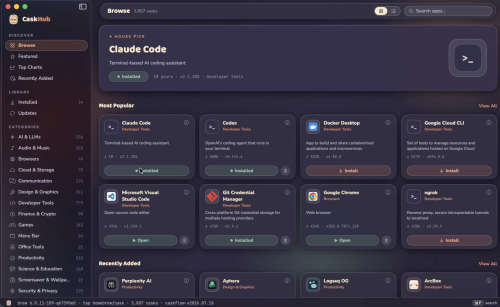
Browse, search, install, update, and uninstall thousands of Mac apps distributed through Homebrew, with original app icons, categories, popularity charts, and one-click actions, all in a native SwiftUI interface.
Browse thousands of Mac apps
Curated shelves, a rotating hero pick, a Featured top 100, and every cask classified into browsable categories.
One-click everything
Install, update, and uninstall with live progress states and cancellable downloads. pkg installers get a native macOS password prompt. And much more
- 9 Downloads
-
Homebrew for Mac is a free and open source package management system for macOS. Homebrew installs the stuff you need that Apple!
Homebrew installs packages to their own directory and then symlinks their files into /usr/local. Homebrew won’t install files outside its prefix and you can place a Homebrew for macOS installation wherever you like.
Trivially create your own Homebrew packages. It’s all Git and Ruby underneath, so hack away with the knowledge that you can easily revert your modifications and merge upstream updates.
Making a cask is as simple as creating a formula.
How to Use
Install Command Line Tools
Install Homebrew via Terminal
Verify Installation
Search for Packages
Install a Package
Update Homebrew
Upgrade Installed Packages
Remove a Package
List Installed Packages
Run Health Check
- 9 Downloads

Blog Entries
-
- 0 Comments
- 152 Views
-
- 0 Comments
- 118 Views
-
- 0 Comments
- 140 Views
-
- 0 Comments
- 124 Views
-
- 0 Comments
- 128 Views





Links
-
- 0 Comments
-
- 0 Comments
- 1 Total Hits
-
- 0 Comments