



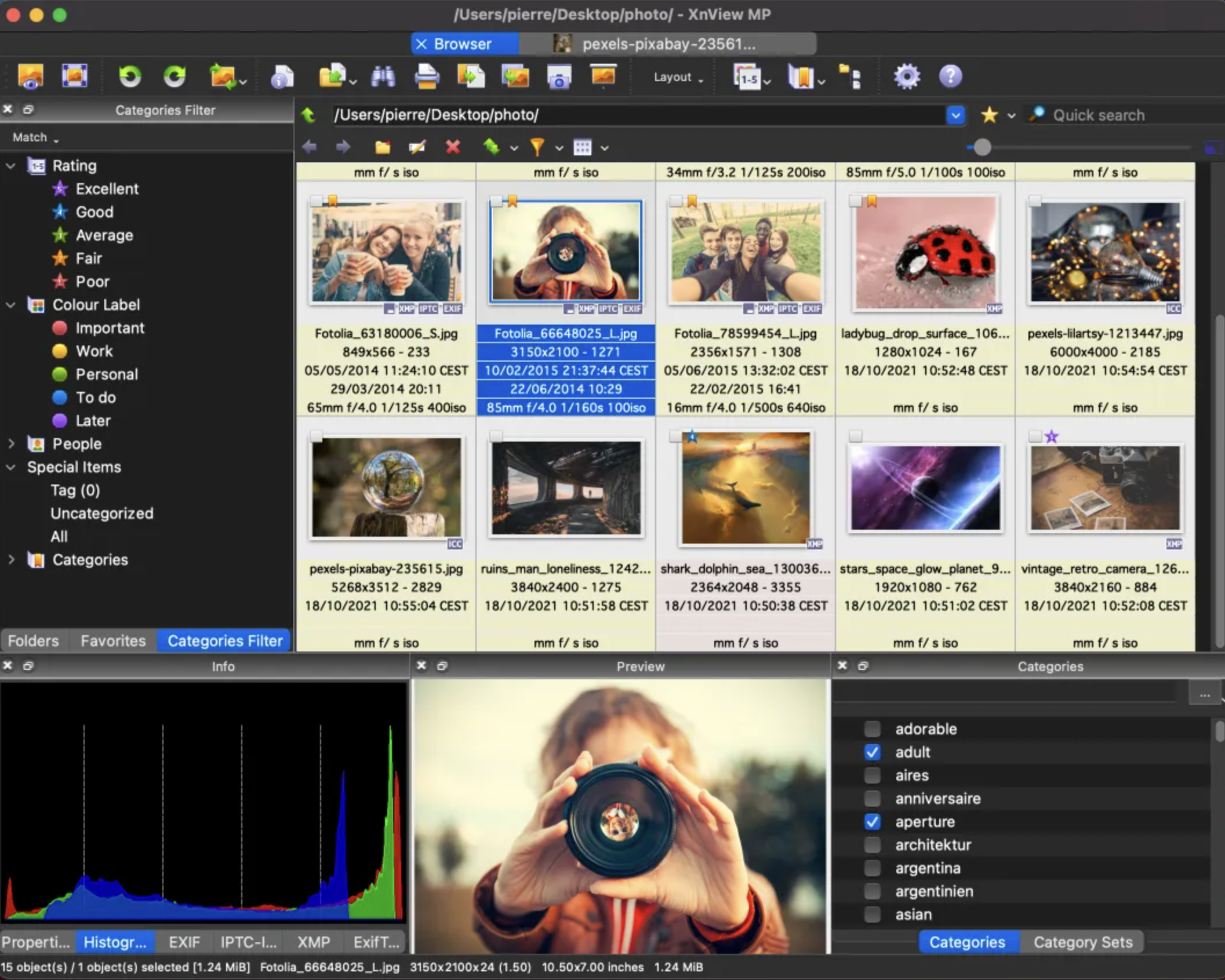
XnView MP/Classic is a free Image Viewer to easily open and edit your photo file. The Image Viewer supports all major image formats (JPEG, TIFF, PNG, GIF, WEBP, JPEG-XL, AVIF, HEIC, PSD, JPEG2000, OpenEXR, camera RAW, PDF, DNG, CR2). As Image Viewer you have features like color adjusting, image resizer, cropping, screen capture, metadata editing (IPTC, XMP) and much more. With its easy-to-use explorer-like interface, XnView MP allows you to quickly view your images and photos, but also to make image management. You have features like batch rename, batch converter, duplicate image finder, image compare, but you can also create contact sheets, slideshow.
In addition to its viewing capabilities, XnViewMP includes tools for organizing and managing images efficiently. Users can create catalogs, apply tags, and even perform basic editing tasks. The program is free to use, making it an accessible option for anyone looking to enhance their image handling experience on Mac. Whether you need a simple viewer or a comprehensive image management solution, XnViewMP provides a robust set of features to meet your needs.

There are no reviews to display.