



Uses an optimized Dynamic Segmentation Algorithm.
Speeds up your Downloads up to your total available Bandwidth.
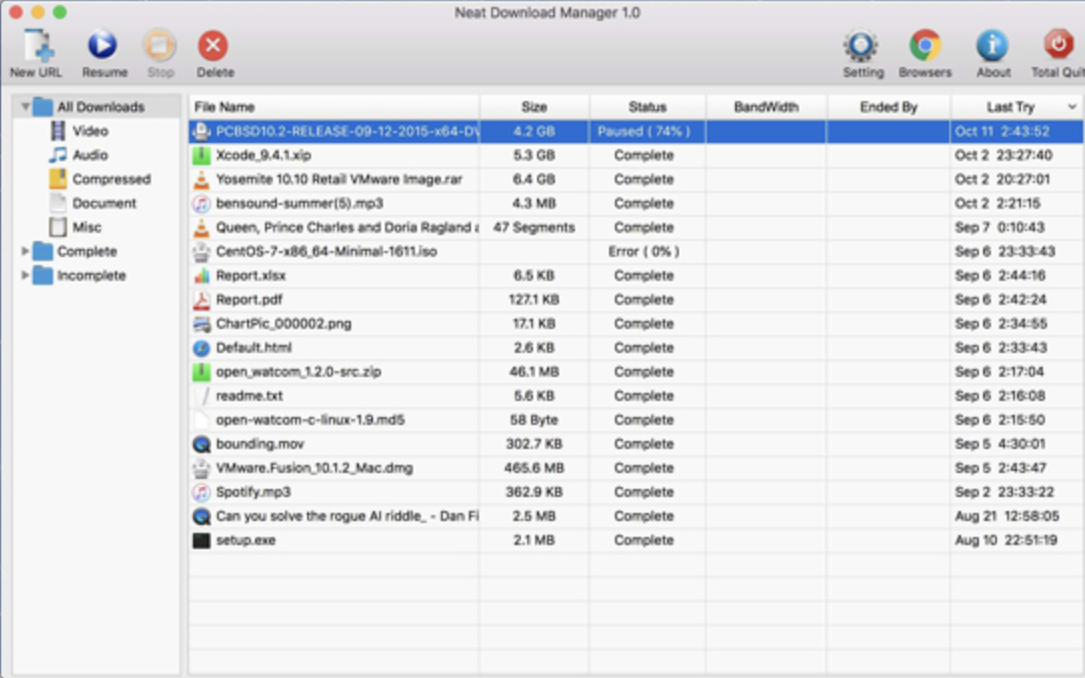
Organizes your Downloads based on Download Status (Complete, Incomplete) And File Type (Video, Document , ...)
Supports HTTP, HTTPS and FTP Protocols.
Supports HTTP Proxy and SOCKS Protocol.
Supports HTTP Authentication and Proxy Authentication (Basic, Digest, NTLM)
Has Pause/Resume Capabilities and can resume crashed Downloads.
Has Browser Extension that can send Download Links to it and helps you download Video/Audio from any WebSite.
Lets you set Bandwidth Limit on your Downloads even when Download is in progress.
Lets you set maximum Connection Number on your Downloads even when Download is in progress.
Can download all .ts files of an HLS video and at the end merge all segments into a single .ts file.
Can Renew expired Downloads.
Works with Drag and Drop, just for Mac

You may only provide a review once you have downloaded the file.
There are no reviews to display.