



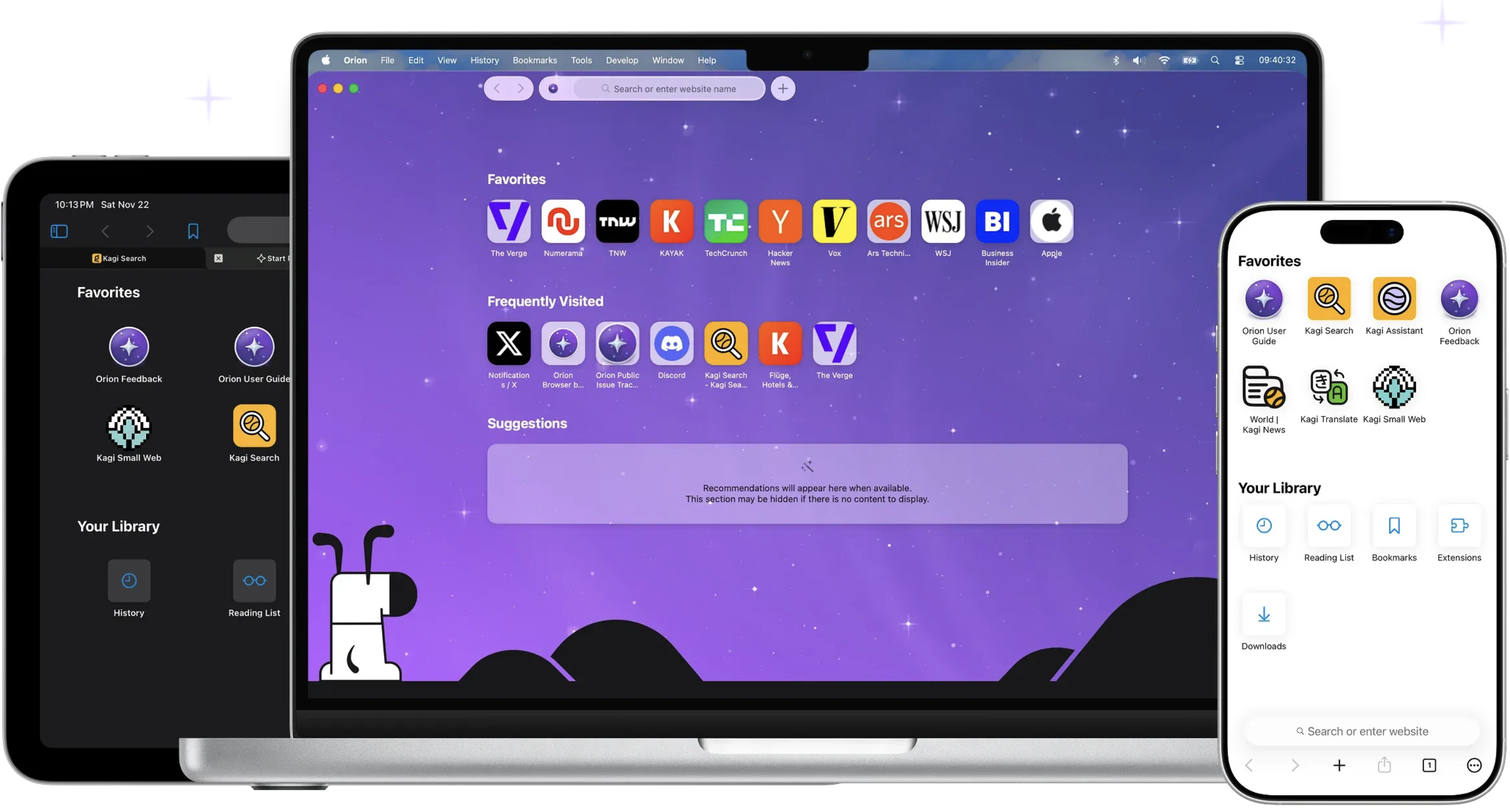
Orion — A web browser designed from the ground-up. Native WebKit speed, compatibility with a wide selection of extensions, and absolute privacy — finally together in one browser that respects you. Generally, users who want an alternative to Safari on macOS turn to either Firefox or a Chromium-based browser. There aren’t a lot of popular options based on Apple’s WebKit, which is a shame given how well the engine is optimized for macOS.
That’s where Orion Browser comes in, one of the most promising browsers to be released in recent years. It uses WebKit and takes Apple’s commitment to privacy to a whole new level, while also offering a truly impressive list of features. It is meant to offer an alternative to Safari that improves upon it in every way, and it’s off to a good start.
Privacy is the name of the game
Orion is committed to offering a truly private browsing experience. It records no telemetry, serves no ads (such as default bookmarks with affiliate links), and comes with built-in ad and tracker blockers.
You can opt to use the company’s own Kagi search engine, a tracker-free alternative to Google or Bing, which is also not supported by ads. However, the free plan is limited to 50 searches per month, so a subscription is necessary to use it as your default search engine.
Fast, lightweight, and familiar Safari alternative
Orion looks a lot like Safari at first glance, and that’s because it’s built on WebKit. Right off the bat, that will make the browser more efficient on macOS than competitors running on other engines. It’s also more streamlined than Safari, so it should be just as fast, or even faster.
Since it’s based on the same technology, Safari users will have no trouble making the switch. The UI is very similar, and native macOS features like Keychain and Live Text are supported directly. All your data is synchronized via iCloud.
Tons of quality-of-life features
Tabs can be shown either on top or on the side, the latter making it easier to manage multiple websites. Tabs can also be organized into groups, or windows.
A handy button to the left of the address bar provides quick access to useful info, features, and settings for each website, and you can also view a quick privacy report, just like in Safari.
Safari’s Reader mode is available, along with the new Focus mode, which hides every UI element from the browser window, leaving only the web page itself.
You can float a window on top of all other apps, and the browser also has a built-in picture-in-picture mode for viewing videos on YouTube or other websites.
There is a lot more to mention, such as the low power mode, the option to open a page in the Internet Archive, force copy & paste on pages that don’t allow it, and automatic blocking of video autoplay.
Install Chrome and Firefox extensions
Given the limited Safari extension catalog and Apple’s struggles with them, going as far as requiring you to install an entire app just to add a feature to the browser, being able to use Chrome and Firefox extensions is a very appealing prospect.
These add-ons can be installed directly from their respective repositories, and the ones I’ve tried seem to work well. You can, for instance, bring back dislikes to YouTube with Return YouTube Dislike, an extension that is not available for Safari.
However, keep in mind that the project is in its early stages, and a lot of extensions, particularly the less popular ones, are a bound to have issues.
A real contender for Safari on macOS
While still a public beta, Orion is already a very impressive browser. It offers the best privacy practices you can get from a WebKit-based browser, it equals or even beats Safari when it comes to speed, and it is packed with helpful features, including support for Chrome and Firefox extensions.
Subscriptions are available for both the browser and search engine, but Orion+ doesn’t offer any benefits regular users will be interested in, so it is definitely not necessary. Kagi is almost unusable without a subscription, but there are a bunch of other privacy-friendly search engines you can use instead.

You may only provide a review once you have downloaded the file.
There are no reviews to display.