Browsers and Plugins
13 files
-
Zen Browser is a free, Firefox-based web browser designed for macOS, emphasizing speed, security, and user privacy. It features a customizable interface with options for light or dark themes, intuitive tab organization, and a workspace management system that enhances productivity. Users can easily manage multiple tabs and workspaces, making it ideal for multitasking. The browser also includes a unique split-screen feature for viewing multiple tabs simultaneously, as well as a compact mode for smaller screens.
One standout aspect of Zen Browser is its commitment to user privacy. It does not track online activity or collect user data, ensuring a secure browsing experience. Additionally, it enforces HTTPS connections for non-secure sites, further protecting users. The Zen Theme Store allows for extensive customization, with themes that enhance both aesthetics and functionality. Overall, Zen Browser offers a robust alternative to traditional browsers, prioritizing user control and security.
- 3 Downloads
-
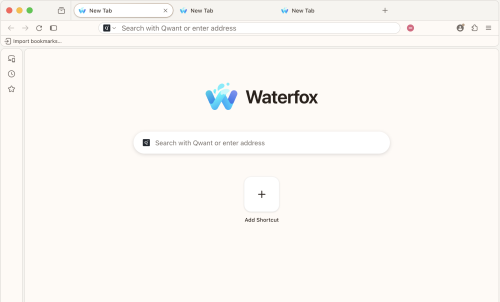
Waterfox for Mac provides you with a high-performance browser 64-Bit version of Mozilla Firefox. The Firefox source code was taken and compiled in order to specifically run for 64-Bit Mac computers.
To make Waterfox Current for macOS stand out from the crowd, it was compiled with many optimizations so that it will perform faster and more efficiently than simply compiling Firefox as a 64-Bit program. Download, Install or Update Waterfox for Mac!
Use this version of Waterfox Current if you want the latest and greatest the web has to offer, want to use all WebExtensions, and a few bootstrap extensions. Also, you can check the Waterfox Classic.
Now start up faster, tab hop quicker and scroll like a speed demon. The 100% fresh, free-range, ethical browser! The app doesn’t sell access to your personal information like other companies. In fact - it doesn't even collect any. From privacy tools to tracking protection, you’re in charge of who sees what.
Get more done
Now the browser for Mac is even faster – with quicker start ups and less hang time! That means windows and tabs load quicker for lightweight browsing that doesn’t hog your computer’s memory.
Get more privacy
To share or not share, that’s your call with the tool’s more powerful Private Browsing feature. It automatically blocks trackers and ads that collect your information without permission. The tool doesn’t sell access to your personal information like other companies. From privacy tools to tracking protection, you’re in charge of who sees what.
Get more freedom
Waterfox for macOS is more than just a browser. It fights to protect your online privacy and keeps corporate powers in check. Browse independently with this program!
More performance
"Bring it, Internet! We’ve spent the last year supercharging the tool's performance. Now start up faster, tab hop quicker and scroll like a speed demon."
Features and Highlights
Your favorite add-ons and extensions. Classic add-on archive coming soon! - Adblock, Ublock, LastPass and thousands more.
Customize your browser - Personalize twithe app h everything from themes to privacy tools.
Browse faster - Start faster, tab hop quicker, get more done.
Sync between devices - Get your tabs, logins and history on the go.
Tabs that travel - View open tabs on any device.
Waterfox for Android - The most customizable Waterfox for Android yet.
Balanced memory usage - Browse smoothly and leave plenty of memory for your computer programs.
Better bookmarks - Quickly save and organize your favorite sites.
Ad tracker blocking - Water fox Private Browsing blocks ads with trackers.
More powerful Private Browsing - More protection than Incognito mode or InPrivate.
More private - it doesn't sell access to your online data. Period.
No data collection - It has no need for your data, so you can browse freely.
Password Manager - Forget the reset. Save passwords and logins quickly.
Privacy-Focused & User-Friendly Browser
Built-in Tracking Protection – Blocks trackers by default for enhanced privacy.
Oblivious DNS – Hides website connections from your ISP for better anonymity.
Private Tabs – Browse privately without opening a separate private window.
Container Tabs – Organize browsing by separating work, shopping, and personal tabs with color-coded options.
Easy Switching – Import bookmarks, passwords, and settings from other browsers effortlessly.
No Data Collection – No telemetry; minimal data collection for updates and security only.
- 11 Downloads
-
Helium blocks ads and trackers, puts you in control, and has a clean, minimal interface. By default.
Skip the search engine
Browse the web even faster with !bangs. Built into Helium, processed locally, and routed directly to the website you want. Bang, clack, done.
Jump to thousands of websites without having to go through a page of search results.
Transparent and open source
All Helium components are open source and available on GitHub. Development happens in public, from commits to builds to releases.
You can build Helium yourself, self-host Helium services, fork or contribute to anything.
Use it, inspect it, modify it, or help shape where it goes next.
Helium never gets in your way and removes most of the noise on all web pages, so you can focus on what you came for.
Take a look yourself: drag the slider to see the difference between Helium and other browsers.
- 10 Downloads
-
A free, open source Chromium browser for Mac with an Arc style sidebar.
Ardia is a free, open source browser for Apple silicon Macs that pairs an Arc style sidebar with a polished interface on real Chromium. It ships with uBlock Origin built in, supports Chrome Web Store extensions, and can import your Arc data including Spaces. It also offers a Little Arc style quick window and encrypted iCloud Drive sync.
- 18 Downloads
-
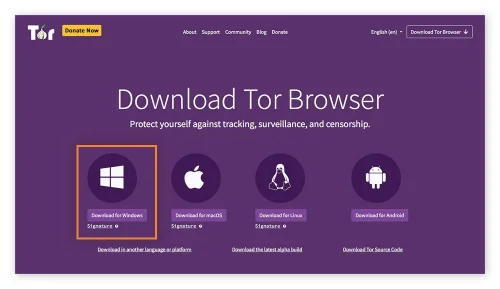
Tor Browser for Mac is a privacy-focused web browser that automatically routes users' web traffic through the secure network, providing anonymity and protection from user-monitoring services installed by internet providers, government agencies, and various online destinations.
It is designed to prevent tracking, surveillance, traffic analysis, and censorship, making it an ideal choice for users who prioritize online anonymity and privacy.
This highly secure web browser differs widely from other security-themed browser projects (such as Brave browser) by offering a whole another layer of added security that no other regular browser has.
This included a built-in triple-layer encryption procedure, use of IP masking service, built-in adblocker, and complete focus on not caching or recording any user activity locally.
The app focuses on routing data through a secure Tor network, a volunteer overlay network for anonymous communication.
This provides safe user access to the public internet, as well as the ability to access and browse illicit websites on the so-called “dark web”, a subset of the internet that is only accessible from inside a secure Tor network.
Today, more than two decades after it was originally released to the public, this unique browser app is viewed as a very important privacy platform that is used for both legitimate and illegitimate means. It is actively developed and maintained by the nonprofit organization The Tor Project.
What`s New
Updated Firefox ESR base for improved performance and compatibility.
Enhanced anti-fingerprinting protections to better prevent tracking.
Security patches addressing the latest vulnerabilities.
Improved circuit display for clearer connection transparency.
Refined connection settings with easier bridge configuration.
Better handling of onion services with improved reliability.
Updated NoScript integration for safer script control.
Performance optimizations for faster page rendering over Tor network.
Improved sandboxing for stronger isolation on desktop systems.
Various stability fixes and bug improvements across platforms.
Key Features
Private browsing of the public internet.
Built-in anti-monitoring features.
Multi-layered encryption.
Routing traffic through a low-latency volunteer network.
Protect private data against online fingerprinting and analysis.
Circumvent online surveillance.
Free for all users.
Installation and Setup
To get this app up and running on any modern Mac computer, users simply have to download an automated installer and follow a few simple on-screen instructions.
How to Use
This app features an extensive set of privacy and security features that make it unique in its category, but at first glance, it has a traditional web browser experience.
However, in addition to the use of standard HTTP online addresses, it can also handle direct loading of specific onion network links, accessing hidden “dark web” content hosted on a volunteer-based Tor network.
- 30 Downloads
-
Privacy on the web seems less and less attainable, as you have to fight on multiple fronts just to stand a chance. Your browser itself is one of the primary sources of privacy leaks, and some, such as Chrome, are simply not built with privacy in mind.
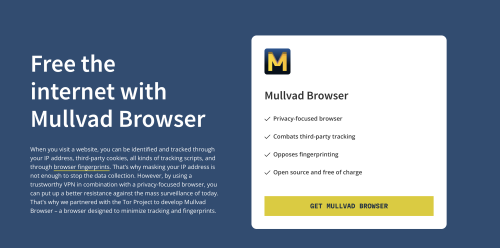
Mullvad Browser will have a familiar name to some, as it was created by the makers of Mullvad VPN, in collaboration with the Tor Project. It’s essentially Firefox tuned for optimal privacy, with a few built-in extensions and other features, all privacy-related.
Ships a privacy-tuned version of Firefox
Given that, at first glance, it pretty much just looks like Firefox, it’s worth mentioning what’s actually changed. For starters, every privacy option available in the browser is set to its strictest setting, even those that aren’t easily configurable.
Private browsing mode is on by default, fingerprinting resistance is enabled, all telemetry is disabled, all recommendations are turned off, some built-in Firefox extensions are removed, DNS over HTTPS is enabled, and the default search engine is set to Mullvad’s Leta. You can’t set it to Google even if you wanted to, though it’s worth mentioning that Leta itself will be discontinued shortly.
Even your screen size can be used for fingerprinting, and Mullvad Browser gets around this by using a content window rounded to a multiple of 200 x 100 pixels, thereby preventing the use of very specific dimensions. This is actually a Firefox feature that isn’t enabled by default.
Built-in extensions and new features
uBlock Origin, NoScript, and Mullvad’s browser extension are pre-installed. You’re likely familiar with the first two, and the latter checks for DNS leaks, lets you verify connection details, and provides an easy way to connect to one of the company’s proxy servers. Keep in mind, this isn’t a VPN, just a proxy.
There’s also a new button in the toolbar that will instantly reset your online identity. When clicked, it will clear all private data and closes all tabs and windows. It essentially lets you avoid restarting the browser, but you’ll still need to use a proxy or VPN to change your IP address.
While the browser was developed in collaboration with the Tor Project, it doesn’t actually use Tor. The upside is that browsing is a lot faster, and together with a VPN, it’s probably as private as it can get without accessing the onion network.
Pimp My Firefox: Privacy Edition
Realistically, that’s what Mullvad Browser is: Firefox configured to maximize privacy, with a couple of new features and extensions built in. It’s great if you’re trying to avoid fingerprinting, but there are obviously some downsides to consider as well.
The biggest issue is that your logins will not be preserved between sessions, so it’s not suitable for most people and most use cases, though you can turn off private browsing if you want to. Letterboxing also makes browsing a bit awkward at times, and some websites fail to load properly with all privacy features enabled. Ideally, you’ll only use it when absolutely necessary, or if your main concern is privacy.
- 16 Downloads
-
Best known for its search engine, DuckDuckGo has also created extensions, mobile apps, and now a desktop browser for macOS. As usually, the focus is on protecting the user’s privacy, but it also incorporates a bunch of innovative features that make browsing easier and more secure.
DuckDuckGo is based on WebKit, ensuring great macOS integration and web compatibility. It’s intended to be lightweight and secure, freeing up valuable resources while also limiting tracking on the web. The app is still in Beta, with a lot of features yet to come, but it is already quite impressive.
Privacy above all
Similar to the famous search engine, this browser was designed from the ground up to prevent you from being tracked across the web. It blocks trackers before they even load, ensuring that no information can be gathered if they were simply restricted. This serves to prevent many popular tracking methods that many other browsers have problems with.
Aside from that, you have Global Privacy Control, automatic removal of tracking parameters from URLs, Google AMP protection, and CNAME cloaking protection. Smarter Encryption can ensure you visit the secure version of a website if you try to visit an HTTP link.
Blocking trackers will greatly reduce the number of ads you see online, reduce load times, and limit resource usage. A lot of white spaces are left behind as a result of ads being blocked, but the team is working to get rid of these too.
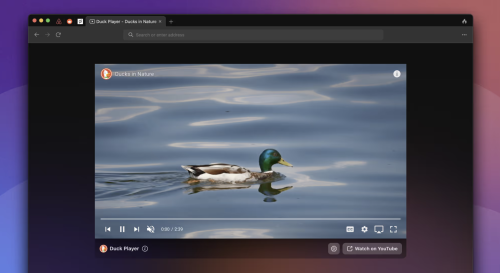
Duck Player — private YouTube player
Google is known for its bad privacy practices, but YouTube is difficult to avoid. If you want to watch something without being tracked, the browser can use its built-in player instead, which will get around ad personalization and get rid of most ads as a result.
This is probably the best way to maintain your privacy on YouTube without actually leaving the website, and your views will also be counted.
Let DuckDuckGo handle cookie consent prompts
While better than not having them at all, cookie pop-ups are incredibly annoying. At least one or two clicks are normally required to choose the most private option, and that’s a lot of time wasted when visiting a new website.
This browser is able to manage cookie prompts automatically, selecting the best option for you. Most popular sites are supported, but we still ran into quite a few that weren’t, so there’s more work to be done.
Fire button for quickly clearing browsing data
Deleting browsing data takes more than a couple of clicks in most browsers, and it’s something many users do quite regularly. In DuckDuckGo, it only takes two clicks using a convenient button in the top-right corner. This is a very useful feature ported over from the company’s mobile browser.
Of course, some cookies are necessary for signing in to a website, and you wouldn’t necessarily want to remove them. Thankfully, you can “Fireproof” them when signing in, which will prevent these cookies from being deleted when clearing browsing data.
Very promising browser, and not just for privacy nerds
While you may be tempted to ignore DuckDuckGo if privacy isn’t too much of a concern, you really shouldn’t. It includes features that can make browsing easier for any user, with the added benefit of preventing tracking in the process.
You can think of it as an upgraded Safari. The same minimalistic design and intuitive approach, but with a bunch of extra features that make your life easier and work behind the scenes to keep you anonymous on the web.
Of course, DuckDuckGo is still in Beta, so it’s not quite complete yet. But if you’re willing to overlook some missing features, it definitely deserves a chance.
- 13 Downloads
-
Orion — A web browser designed from the ground-up. Native WebKit speed, compatibility with a wide selection of extensions, and absolute privacy — finally together in one browser that respects you. Generally, users who want an alternative to Safari on macOS turn to either Firefox or a Chromium-based browser. There aren’t a lot of popular options based on Apple’s WebKit, which is a shame given how well the engine is optimized for macOS.
That’s where Orion Browser comes in, one of the most promising browsers to be released in recent years. It uses WebKit and takes Apple’s commitment to privacy to a whole new level, while also offering a truly impressive list of features. It is meant to offer an alternative to Safari that improves upon it in every way, and it’s off to a good start.
Privacy is the name of the game
Orion is committed to offering a truly private browsing experience. It records no telemetry, serves no ads (such as default bookmarks with affiliate links), and comes with built-in ad and tracker blockers.
You can opt to use the company’s own Kagi search engine, a tracker-free alternative to Google or Bing, which is also not supported by ads. However, the free plan is limited to 50 searches per month, so a subscription is necessary to use it as your default search engine.
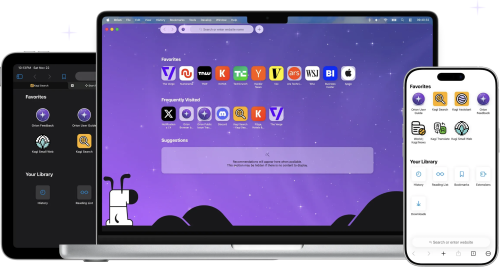
Fast, lightweight, and familiar Safari alternative
Orion looks a lot like Safari at first glance, and that’s because it’s built on WebKit. Right off the bat, that will make the browser more efficient on macOS than competitors running on other engines. It’s also more streamlined than Safari, so it should be just as fast, or even faster.
Since it’s based on the same technology, Safari users will have no trouble making the switch. The UI is very similar, and native macOS features like Keychain and Live Text are supported directly. All your data is synchronized via iCloud.
Tons of quality-of-life features
Tabs can be shown either on top or on the side, the latter making it easier to manage multiple websites. Tabs can also be organized into groups, or windows.
A handy button to the left of the address bar provides quick access to useful info, features, and settings for each website, and you can also view a quick privacy report, just like in Safari.
Safari’s Reader mode is available, along with the new Focus mode, which hides every UI element from the browser window, leaving only the web page itself.
You can float a window on top of all other apps, and the browser also has a built-in picture-in-picture mode for viewing videos on YouTube or other websites.
There is a lot more to mention, such as the low power mode, the option to open a page in the Internet Archive, force copy & paste on pages that don’t allow it, and automatic blocking of video autoplay.
Install Chrome and Firefox extensions
Given the limited Safari extension catalog and Apple’s struggles with them, going as far as requiring you to install an entire app just to add a feature to the browser, being able to use Chrome and Firefox extensions is a very appealing prospect.
These add-ons can be installed directly from their respective repositories, and the ones I’ve tried seem to work well. You can, for instance, bring back dislikes to YouTube with Return YouTube Dislike, an extension that is not available for Safari.
However, keep in mind that the project is in its early stages, and a lot of extensions, particularly the less popular ones, are a bound to have issues.
A real contender for Safari on macOS
While still a public beta, Orion is already a very impressive browser. It offers the best privacy practices you can get from a WebKit-based browser, it equals or even beats Safari when it comes to speed, and it is packed with helpful features, including support for Chrome and Firefox extensions.
Subscriptions are available for both the browser and search engine, but Orion+ doesn’t offer any benefits regular users will be interested in, so it is definitely not necessary. Kagi is almost unusable without a subscription, but there are a bunch of other privacy-friendly search engines you can use instead.
- 12 Downloads
-
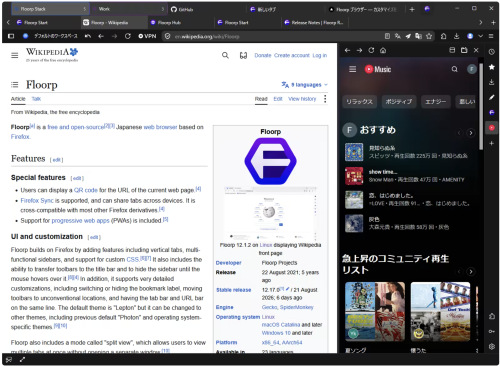
A free, open source desktop browser. No account needed to start. Group tabs by task. Assign Firefox containers when needed to keep cookies and sign-ins separate. Place several pages in one window to compare, research, and write at the same time. Adjust each panel to the width that works for you. Pin frequently used sites to the sidebar without leaving the page you are viewing. Notes and tools are ready when you need them.
- 13 Downloads
-
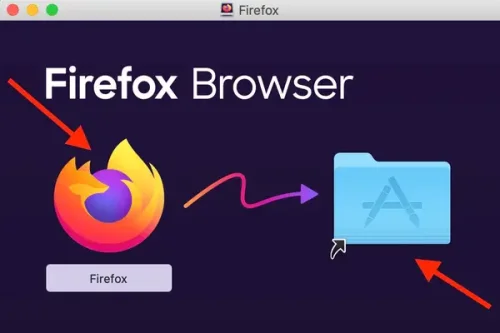
By far the most popular open-source browser, Firefox has attempted, since it was first developed, to counter the dominance of Internet Explorer, then Chrome, and now the multitude of Chromium-based browsers as well.
Seemingly doomed to never be the top dog, Firefox is nevertheless an impressive browser, and its commitment to transparency and user privacy makes it a sound choice. Other than Safari, it is the only major browser not to be powered by Chromium, relying on the in-house Gecko engine ever since its inception.
Feature-rich, as expected
Aside from the things you need for actual browsing, Firefox comes equipped with a password manager, tracker blocker, private browsing functionality, fingerprint blocking, cross-device synchronization, and fairly impressive customization options.
Of course, nowadays, feature availability isn't much of a concern when choosing a browser, at least for most people. Sure, Firefox doesn't have a built-in ad-blocker or full-page translation, but these things can be added via extensions.
Open-source, privacy-minded browser
One of the main reasons to choose Firefox is the fact that it is completely open-source. Every day we get more reasons not to trust big corporations to do the right thing, and what better way to keep an eye on them than to see everything that's going on behind the scenes?
Mozilla is also at the forefront of safeguarding user privacy and promoting transparency. Aside from blocking cross-site tracking cookies and preventing all tracking in private windows, the browser also prevents fingerprinting, which lets companies create a profile based on your hardware and data, allowing them to track you for extensive periods.
Firefox has also implemented an HTTPS-only mode, which blocks all unsecure connections. However, you will need to enable this feature after installing the browser, as it is not turned on by default.
Plenty of extensions to choose from, but Chrome is still better in this regard
Firefox has been around for a long time, so it makes sense that tons of extensions have been created since the browser was first released. However, those that have not been upgraded since the introduction of the Quantum engine will likely not work on later versions of the app. Mind you, that was over three years ago, so it's not much of an issue today.
Despite the fact that Chrome came onto the scene quite a bit later, its sheer popularity has resulted in far more extensions being created for Google's browser. Nevertheless, almost every popular add-on is available for Firefox as well, and it is vastly superior to Safari in this respect.
Performance — there's no beating Safari
Whether on Intel or Apple Silicon Macs, Safari is superior to all other major browsers when it comes to page load times, general performance, and RAM usage. If you're looking for an alternative to Apple's browser, it's not because of performance issues or resource consumption.
Between the alternatives, however, it's a toss-up. Firefox and Chrome seem to trade the title of "faster browser" on a regular basis, but they're always close. Given that most users don't want to switch to a different browser with every new release, it's probably wiser to discount performance as a factor for the time being. Most major browsers are similar enough for it to not matter all that much.
Firefox, Chrome, or Safari?
Mac users are somewhat fortunate in having the privacy-friendly Safari as a default browser, so finding an alternative isn't as important as it is for Windows users. However, Safari offers very little customization and has a limited pool of extensions, so it isn't the best choice for users who like to personalize their browsers.
So if you care about privacy but still want to take advantage of certain extensions and customize your browser, Firefox is an excellent choice. Of course, there are other Chromium-based browsers that take privacy seriously, but none of the major ones are open-source.
- 11 Downloads
-
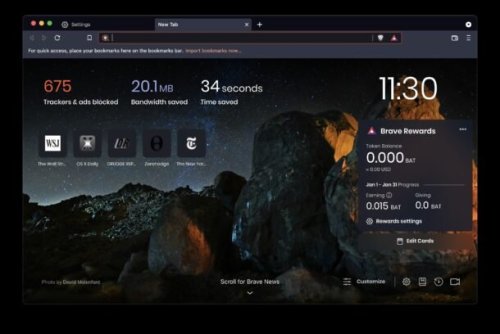
Navigate the web while avoiding intrusive ads and trackers, support your favorite websites in new ways, and even make money by viewing private ads, all with this innovative Chromium-based browser
Every year, ads seem to get more pervasive and intrusive. Your personal information is collected from numerous sources and sold to advertisers without your knowledge or consent, and without you receiving any compensation for it.
Thankfully, more and more people are becoming aware of how their privacy is invaded and their information sold for profit. However, by taking steps to mitigate this issue, which range from switching search engines to installing ad-blockers, users are, through no fault of their own, contributing to the demise of an unsustainable funding model for content creators.
To put it simply, anyone who relies on ads to make a living will see their income becoming less reliable as ad-blockers come to be ubiquitous and users change their browsing habits to protect their privacy.
Brave was conceived partly to provide an alternative method for content creators to make money, as well as to give more power to users. Aside from these innovative features, Brave also comes with everything you would expect from a modern browser, with special attention given to protecting your privacy on the web.
How the Brave Rewards system works
Since this is the browser's standout feature, we'll cover it first. When you browse the web with Brave, it automatically keeps track of how much time you spend on each website. At the end of the month, based on how much attention you've shown a certain website, the Rewards system will send the site owners a corresponding amount of BATs (Basic Attention Tokens). The BAT platform is based on Eretheum, and tokens can be converted to other currencies.
It's important to note that Brave's Reward system is completely anonymous. Activity logs are stored only locally, and the company doesn't know who supported which websites. The support is simply tallied, and the appropriate rewards are given based on the total attention each site has gotten.
View private ads to earn money and support your favorite websites
In addition to rewarding websites for traffic, Brave can deliver private ads to interested users. By watching these ads, you can earn BAT — specifically 70% of what the company receives from advertisers. These tokens can then be converted, traded for various perks, or used to support content creators.
These private ads are completely different from the intrusive ads you normally see on the web. They can be turned on or off at any time, you can choose how many to see, and they should only be shown at convenient times.
While Brave's ads are still based on your browsing activity, they are completely private. Your personal information will never be given to advertisers, as ad matching is done only locally.
Prevent tracking and ensure you stay secure on the web
To replace many of the functions we normally use extensions for, the Brave team have come up with Shields — a feature designed to block ads, trackers, third-party cookies, and device recognition, while also forcing HTTPS on websites that support it.
Shields is remarkably easy to use and configure, and it can be turned on or off which a single click, which is sometimes necessary when sites simply will not work if cookies are blocked.
Distinctly Chrome-like in appearance
Given that it's based on Chromium, it shouldn't come as a surprise that the browser's UI is reminiscent of Chrome's. There are a few alterations, but nothing too major. Since Google's browser is often the most talked-about when discussing privacy issues, it's probably a good thing that Chrome users will find the transition very smooth.
However, I'd love to see some additional customization options added in the future. As mainly a Vivaldi user, I can't see myself switching to a browser that doesn't let me tweak just about everything related to looks and functionality. While this level of customization isn't important for most users, it would make Brave an even better alternative to Chrome.
Comes with everything you need from a main browser
As far as functionality is concerned, there is little point in mentioning everything Brave can do, as most other browsers offer similar feature sets. If you've used Chrome or any other Chromium-based browser before, only the Shields and Rewards features are likely to stand out.
One other advantage of it being based on Chromium is that you can install any extension you wish from the Chrome Web Store — yet another incentive for Chrome users to make the switch.
When it comes to speed, Brave brave should have the upper hand simply because it prevents ads and trackers from running. These can have a significant impact on page loading times, and you normally have to install third-party extensions to block them.
An excellent browser that changes how money is earned on the web
Few can argue that change is needed when it comes to how ads are targeted and delivered, and Brave offers a forward-looking solution. Instead of just blocking ads altogether, preventing content creators from making money from their work in the process, the browser offers a consumer-friendly funding alternative.
When it comes to the rest of the browsing experience, Brave doesn't disappoint. While it's difficult to create a bad browser when using Chromium, the team has done a wonderful job of integrating innovative features into the familiar UI, and I hope there is even more to come, especially when it comes to customization options.
- 12 Downloads
-
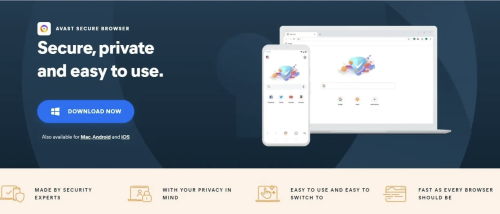
Avast Secure Browser is a web browser intended to provide safe and secure browsing. It comes with built-in cybersecurity features that defend you from a range of threats without reducing performance and reliability. This is because it's based on Chromium - an open-source browser by Google. This ensures that it offers all of Chromium's quality and usability features. Its user interface is almost the same as that of Google Chrome.
The main difference between Avast Secure Browser and other browsers is that Avast has all the security and privacy functionalities built-in. Plus this is accessible from the Security & Privacy Center, this can be accessed by clicking on the shield icon next to the address bar. Anti-Tracking blocks servers from tracking your online transactions. It is complemented by the Anti-Fingerprint feature makes the web fingerprint more distinct and unnoticeable to phishers. Other specific features include the Privacy Cleaner and Private Mode. They encrypt your internet history and prevent it from storing any cookies and spam that could breach your security.
Avast Secure Browser also comes with 24/7 security features that make your browsing experience much better. Anti-Phishing and Bank Mode helps to block suspicious pages and stops anyone from accessing your private details via a keystroke logger. This security app also comes with a Password Manager that lets you log in easily while keeping your login details secure. Due to its lightweight Chromium build, the speed of the Avast Secure Browser competes with Google and Firefox.
The Adblock and Flash Block functionality also add to the performance of the browser. Adblock prevents most ads from appearing so web pages are loaded faster. Flash Protect obstructs Flash-based images that can overload processing power and overwhelm the entire system. With Avast, you will be able to monitor which pages will have access to your camera because of the Webcam Guard function. The web browser can also have HTTPS protection for connections when browsing.
Outstanding web browser
With Avast Secure Browser, Avast guarantees the privacy and security of its users. Other Avast goods such as Avast Free Antivirus and Avast Secureline VPN can be conveniently paired with the Avast Secure Browser for increased security. This web browser places a heavy emphasis on privacy and security. While it lacks some customisation options, it at least ensures a private browsing experience to its users.
- 14 Downloads
-
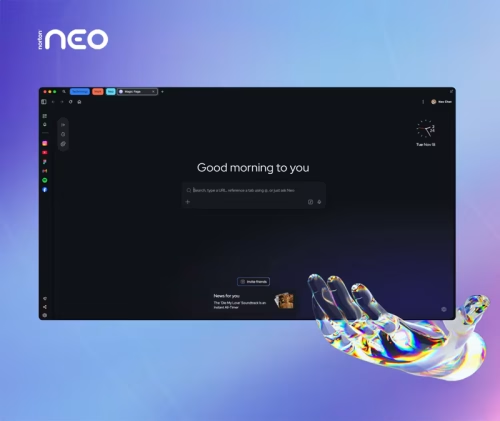
Your data is never sold. What happens in Norton Neo stays in Norton Neo. You’re in control: choose what Norton Neo remembers - and what it forgets. Or just turn it off. Built-in VPN, anti-fingerprinting, and ad blocking are built-in. No extensions. No setup.
Most tracking does not rely on cookies anymore. Websites build a hidden profile using dozens of invisible signals: your screen size, installed fonts, GPU behavior, audio settings, and more. Neo blocks and randomizes those signals by default, globally, across every site you visit. No setup. No toggle. Always on.
Powered by Norton and built directly into the browser. One click encrypts all your browsing traffic. No separate app, no extra subscription required. A strict no-log policy means your browsing history, DNS queries, and IP address are never stored. Independently audited annually.
Cleaner browsing, smarter blocking, and no extensions required. The ad blocker runs quietly in the background every session, active by default from the moment you open the browser.
- 36 Downloads

Blog Entries
-
- 0 Comments
- 159 Views
-
- 0 Comments
- 126 Views
-
- 0 Comments
- 146 Views
-
- 0 Comments
- 129 Views
-
- 0 Comments
- 133 Views




Links
-
- 0 Comments
-
- 0 Comments
- 1 Total Hits
-
- 0 Comments