



Promising, extensible screen capture utility with a focus on easily uploading and sharing images or videos, using Imgur or custom uploaders
macOS has a very capable and easy-to-use screen capture utility built right in, but third-party utilities can bring additional features, such as extra personalization, or instant media uploads.
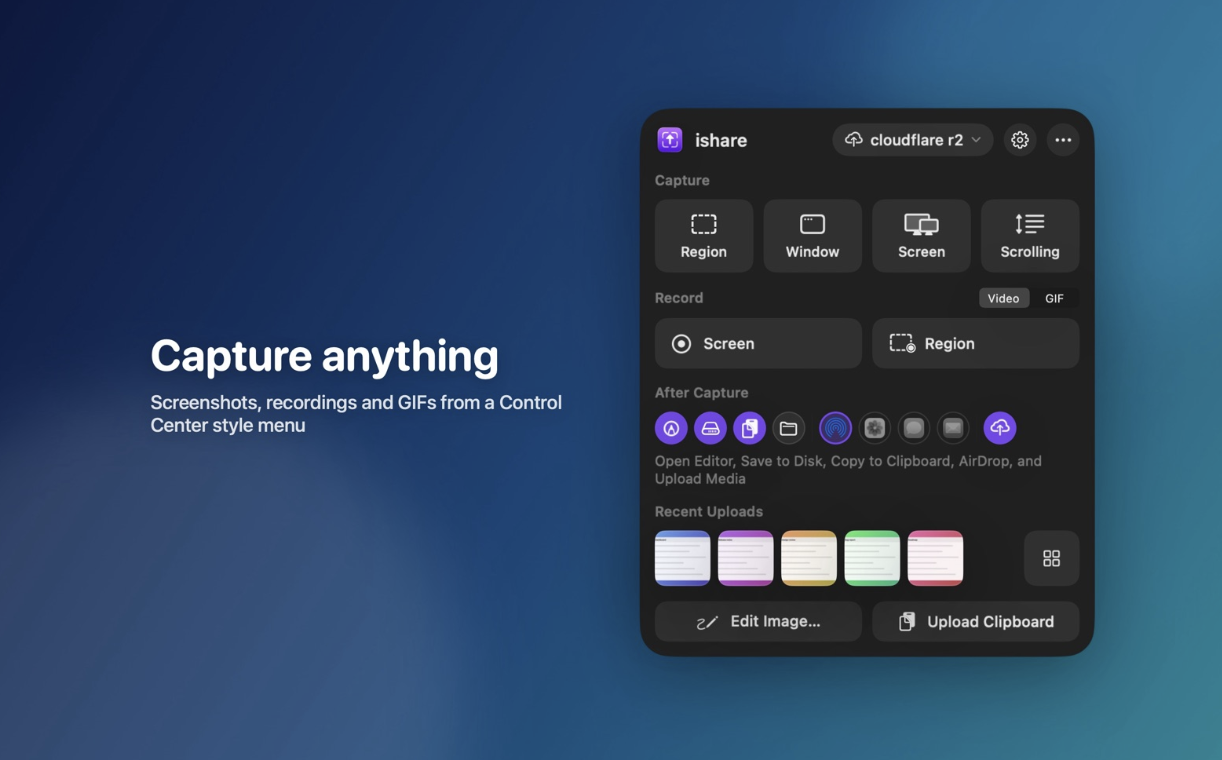
ishare is an open-source app that seems to be focused on making it easier to capture, upload, and share images or videos. The project is still in its infancy, with some features not fully implemented, but it already offers instant Imgur uploads of captured images.
Instantly capture and upload screenshots
The app only runs in the menu bar, and you can open the menu to check the default hotkeys and enable post media tasks. The settings window includes additional preferences, allowing you to change keybinds, the output location, and more.
Once you’ve captured a screenshot, the app can automatically upload it to Imgur and copy the URL to the clipboard. The process is seamless and great for quickly sharing something on your screen without any fuss.
Good feature set, with possible improvements
Looking past the upload functionality, we see a few missing features. While you can capture a region, window, or screen, there is no option to preserve or fine-tune the capture area, something you can do with the built-in utility.
The screen recording functionality allows you to capture any window or application, but you cannot record a specific area of the screen.
Use custom uploaders and plugins
One of the main advantages of ishare will be the ability to use custom uploaders and plugins for media processing. Uploaders can already be set up, with plugin specifications to be detailed in a later release.
Overall, ishare shows promise, but there is still work to be done. For now, if you just need a simple way to capture, upload, and share screenshots or video, it should work just fine.

You may only provide a review once you have downloaded the file.
There are no reviews to display.