
Files posted by eivindsimensen
-
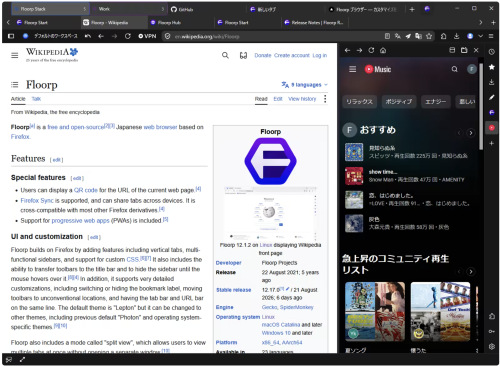
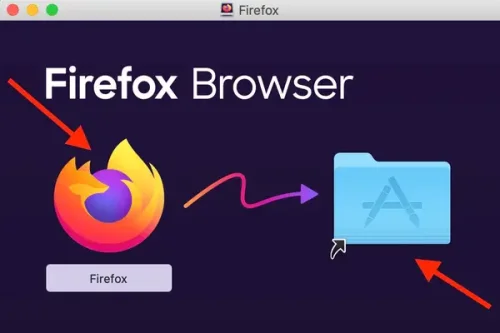
A free, open source desktop browser. No account needed to start. Group tabs by task. Assign Firefox containers when needed to keep cookies and sign-ins separate. Place several pages in one window to compare, research, and write at the same time. Adjust each panel to the width that works for you. Pin frequently used sites to the sidebar without leaving the page you are viewing. Notes and tools are ready when you need them.
- 13 Downloads
-
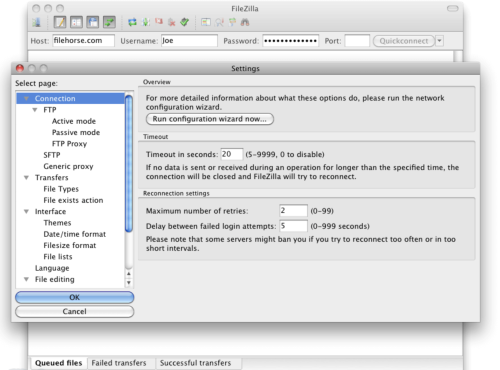
FileZilla for Mac is a popular and feature-rich free FTP client that offers users of all technical levels access to a wide range of features and tools for managing and transferring files over the local networks and internet via the popular FTP transmission protocol and its numerous variations.
This software is available for Mac computers as a native app and is designed to enhance the workflow of home users, students, developers, and anyone else who needs to transfer files securely and efficiently.
Today, this app is primarily used for uploading, downloading, and managing files on remote internet servers, but it can also be easily used for FTP connection between any supported modern devices inside the local network.
It fully supports various file transfer protocols such as FTP, SFTP, and FTPS, ensuring secure connection, reliable file transfers, and an easy way to manage a large number of files and directories, with no limits being placed on file size or transfer speeds.
The software also offers advanced features like synchronized directory browsing, directory comparison, remote administration, full IPv6 support, remote search and file editing, extensive local logging, and drag & drop support, making it an indispensable tool for managing files across different platforms.
In addition to Mac, this app can be used on Windows and Linux computers, making it one of the most versatile free FTP clients available on the market.
Main Features
Comprehensive FTP Client – Complete supports FTP, SFTP, and FTPS protocols for secure file transfers.
IPv6 Support – Fully compatible with IPv6, ensuring future-proof connectivity.
Synchronized Directory Browsing – Empowers users to simplify directory navigation when managing multiple devices.
Directory Comparison – Easily compare the contents of local and remote directories, highlighting differences in file size and modification time.
Remote Administration – Manage system files, directories, and services remotely.
Permissions System – Manage remote security access with user and group authentication.
Large File Support – Reliably transfers larger than 4GB with no speed limits.
Custom Speed Limits – Set custom speed limits for file transfers to manage real-time bandwidth usage.
Installation and Setup
To install this app on a Mac, users can download the Intel or ARM installer version from the official website or secure FileHorse servers and follow a few simple on-screen installation prompts.
The entire installation process is straightforward and requires minimal technical expertise, enabling even complete novices to get this app up and running in a mere minute.
What`s New in latest version 2026
Improved FTP, FTPS, and SFTP connection stability.
Enhanced transfer speed optimization for large files.
Updated TLS encryption handling for stronger security.
Improved site manager with clearer connection profiles.
Better handling of long file paths and large directories.
Enhanced resume support for interrupted transfers.
Improved compatibility with modern server configurations.
Refined user interface responsiveness on Windows and macOS.
Updated language files and localization support.
Bug fixes and overall stability improvements.
How to Use
Once inside the app, users can configure this powerful FTP client by specifying a remote IP address, and remote client login details, and connecting to their FTP account on the server.
Connections can be made either with the Quick Connect tool or the Site Manager feature that allows users to set up their most often-used connection parameters.
Once connected, users can navigate through both local and remote directories, upload and download files, and manage permissions using the software's intuitive interface.
User Interface
The user interface of this app is designed to be user-friendly and intuitive, promoting four main on-screen modules. The top of the app is home for connection status listing where users can access all their currently active connection data or error codes.
Below are two full sets of file management modules, and on the bottom is a transfer listing module that showcases what files are currently in status of transfer (with three tabs for Queued, Failed, and Successful transfers).
The app also hosts a wide variety of other important tools, such as directory bookmarks, speed limiter, search tool, directory comparison tool, and many others.
- 19 Downloads
-
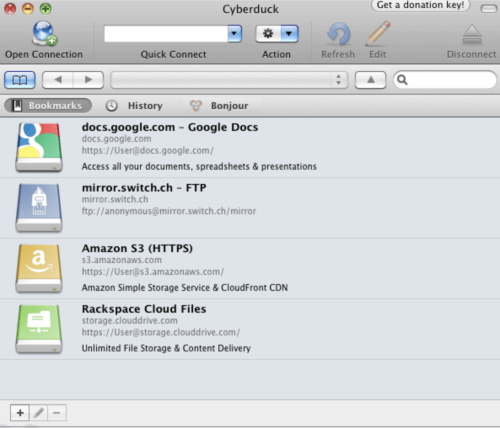
Cyberduck for Mac is an open source FTP, SFTP, WebDAV, Cloud Files and Amazon S3 browser for the Mac. It features an easy to use interface with quickly accessible bookmarks.
The outline view of the browser allows to browse large folder structures efficiently and you can quickly preview files with Quick Look.
To edit files, seamless integration with several external editors makes it easy to change content quickly. Both Amazon CloudFront and Cloud Files from Rackspace can be easily configured to distribute your content in the cloud.
Many macOS core system technologies such as Spotlight, Bonjour and the Keychain are supported and a large number of translations makes you feel at home.
Features and Highlights
Connecting to every server
With an easy to use interface, connect to FTP (File Transfer Protocol), SFTP (SSH Secure File Transfer), WebDAV (Web-based Distributed Authoring and Versioning), Amazon S3, Google Cloud Storage, Windows Azure, Rackspace Cloud Files and even Google Docs.
Edit any file with your preferred editor
To edit files, seamless integration with any external editor application makes it easy to change content quickly. Edit any text or binary file on the server in your preferred application.
Distribute your content in the cloud
Both Amazon CloudFront and Akamai content delivery networks (CDN) can be easily configured to distribute your files worldwide from edge locations. Connect to any server using FTP, SFTP or WebDAV and configure it as the origin of a new Amazon CloudFront CDN distribution.
Amazon S3 for the rest of us
Browse Amazon Simple Storage Service like your harddisk. Supporting the latest and greatest additions to the S3 storage options. Define website endpoints, enable access logging, configure storage class, encryption and bucket location.
Manage your Google Docs
Convert uploads to Google Docs format and Optical Character Recognition (OCR) for image uploads. Define access control lists to share documents with other users using Google login credentials.
And many more (First class bookmarking, Browse with ease, Transfer anything, Advanced SSH features, Integration with system technologies).
PROS
User-Friendly Interface – Simple and intuitive design.
Supports Multiple Protocols – FTP, SFTP, WebDAV & more.
Seamless Cloud Integration – Works with AWS, Google Drive.
Free & Open Source – No cost with active community support.
Bookmark & Transfer Queue – Easy file management tools.
CONS
Slower Performance – Can lag with large transfers.
Frequent Connection Drops – Stability issues at times.
Limited Automation – No built-in scheduling feature.
Annoying Donation Pop-ups – Requests for contributions.
No Built-in File Editing – Requires external editors.
Note: Requires 64-bit processor.
- 19 Downloads
-
It has long been established that you definitely do need an antivirus on macOS. Malware that targets Apple's systems has grown increasingly common, as evidenced by the recent spread of a new virus that targets Apple's M1 devices exclusively.
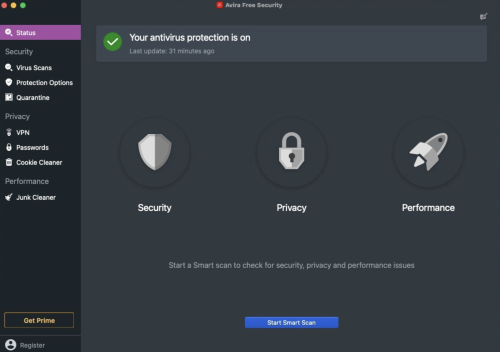
So if you're on the market for an antivirus, Avira is surely one of the first names to pop in your head. The company has a long history of providing reliable antivirus solutions, always ranking among the top contenders in independent comparative tests. On top of that, Avira Free Security comes with some additional features, such as a VPN, junk cleaner, and password manager.
Industry-leading antivirus protection
Unlike their Windows counterparts, Mac users often have a hard time figuring out which antivirus offers the best protection. Expert comparative tests exist, but many macOS security solutions aren't included in these tests, largely due to a lack of demand.
However, Avira has been included in comparative tests such as AV-TEST for years, and it has gotten a maximum protection score almost every time. If you're after the best security available, you can't really go wrong with Avira Free Security. While it lacks the web and mail protection features of Avira Antivirus Pro, both products use the same antivirus module.
The app offers real-time protection, which can be disabled at any time from the system tray. You can also run a quick or full scan, but there is no option to scan a specific file or location on your Mac. Identified malware or suspicious items can be managed from the quarantine.
Password manager and free (albeit limited) VPN
Unsurprisingly, given that this is a full security suite, a password manager is also available. However, it must be noted that you can't access it from the main interface directly. Instead, it is opened in your default browser, and while extensions are available for Chrome and Firefox, that is not the case for Safari.
Avira's Phantom VPN is included in this free security suite, but it must be installed separately, after setting up the main product. However, while it offers a decent number of locations and servers, the free version is limited to just 500 MB of traffic per month, making an upgrade to Phantom VPN Pro pretty much a necessity.
Clean up junk files and reclaim disk space
In addition to protecting you against malware, Avira Free Security can prove helpful if you're trying to free up some disk space on your Mac.
The app can remove cache files and reports and logs, as well as remove items from your Downloads folder and Trash. While the latter two can be done by any user easily, cache files and logs aren't easily accessible, so this feature can indeed be useful.
If you're looking for a reliable free antivirus, this is it
When it comes to protection against malware, Avira Free Security shouldn't let you down. It has a proven track record, and you can take advantage of the scanning and real-time protection modules for free indefinitely, making it a great choice for users who don't want to pay for an antivirus.
The rest of the features included in the packages aren't as impressive. The free VPN is hardly usable without a subscription, and the password manager is only accessible via a browser, with no extension available for Safari users. The junk cleaner can at least help you get rid of some hard-to-find files.
- 15 Downloads
-
Sophos Home is a robust antivirus solution designed for home computers, offering comprehensive protection against online threats such as viruses, phishing scams, malware, exploits, and ransomware. Utilizing advanced artificial intelligence, it proactively detects and blocks malicious software while safeguarding users from risky websites. With a focus on security and privacy, Sophos Home stands out for its cutting-edge features and constant threat monitoring.
Unique to Sophos Home is its next-generation artificial intelligence powered by deep learning, enabling preemptive virus detection and blocking. Trusted by global institutions, this AI continuously analyzes incoming files to ensure user safety. Sophos Home's vigilant surveillance, backed by SophosLabs, actively combats modern threats like ransomware, spyware, Trojans, and more, offering round-the-clock protection for home computers.
- 17 Downloads
-
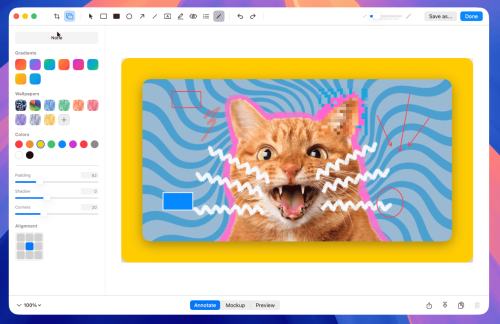
Pixel-perfect precision. Select any part of your screen with intuitive guides and keyboard modifiers. Infinite screenshots. Capture entire webpages or long documents in one continuous motion. Annotate with speed. Add arrows, text, and highlights. Beautiful backgrounds in one click. Smooth capture. Record high-quality video with system audio and microphone support. Always at hand. Manage your recent captures instantly from the menu bar.
- 9 Downloads
-
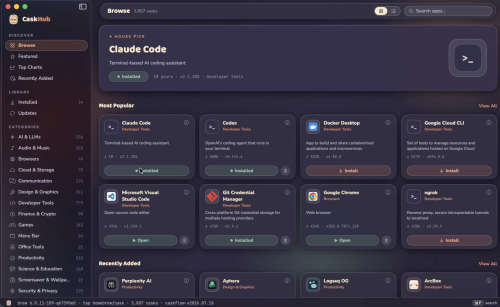
Browse, search, install, update, and uninstall thousands of Mac apps distributed through Homebrew, with original app icons, categories, popularity charts, and one-click actions, all in a native SwiftUI interface.
Browse thousands of Mac apps
Curated shelves, a rotating hero pick, a Featured top 100, and every cask classified into browsable categories.
One-click everything
Install, update, and uninstall with live progress states and cancellable downloads. pkg installers get a native macOS password prompt. And much more
- 9 Downloads
-
Homebrew for Mac is a free and open source package management system for macOS. Homebrew installs the stuff you need that Apple!
Homebrew installs packages to their own directory and then symlinks their files into /usr/local. Homebrew won’t install files outside its prefix and you can place a Homebrew for macOS installation wherever you like.
Trivially create your own Homebrew packages. It’s all Git and Ruby underneath, so hack away with the knowledge that you can easily revert your modifications and merge upstream updates.
Making a cask is as simple as creating a formula.
How to Use
Install Command Line Tools
Install Homebrew via Terminal
Verify Installation
Search for Packages
Install a Package
Update Homebrew
Upgrade Installed Packages
Remove a Package
List Installed Packages
Run Health Check
- 10 Downloads
-
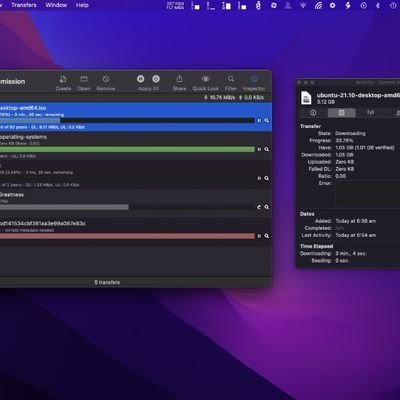
Transmission is a free file-sharing program developed to be a desktop torrenting client to help users share files over the internet. This open-source solution offers a fast and lightweight experience that comes with a clean and simple user interface that will be easy to learn for newcomers.
Despite its small footprint, there is no lack of features with Transmissions as it offers plenty of options and customization as its contemporaries like Vuze or Xtorrent. It also supports both torrent files and magnet links downloaded from across all online sources for improved compatibility and seamless operation.
Torrent made simple
Apart from direct downloads from file-sharing sites, peer-to-peer torrenting is the preferred way to share files over the web for most people. Some of the biggest reasons why is the ease of use and because it's free to get started with. The are plenty of choices in the market today but if you're looking for one that's easy on your system resources, Transmission is one option to consider.
Transmissions are as clean and straightforward as they come, and that is not really a bad thing as it just works without much setup needed. It still comes with all the bells and whistles you've come to expect from a torrent client like advanced download queueing and traffic control. Transfers are also encrypted to ensure your data traffic is anonymous and untraceable.
What's more, recent updates have included native support for the newest BitTorrent v2 protocol for greater security, as well as hybrid torrents for backward compatibility. It's not without its shortcomings, though, as you don't get built-in proxy support with it. Another is that it can be a bit difficult to manage multiple active torrents at the same time—a common scenario for most users.
A solid option
To conclude, if you're looking for a new torrent client and your main priority is speed and ease of use, Transmission is a solid option you should look into. It gets the basics right and will meet the needs of most users. There are some missing features here and there, but if you don't mind those omissions, go and give this one a try now. Recommended.
- 21 Downloads
-
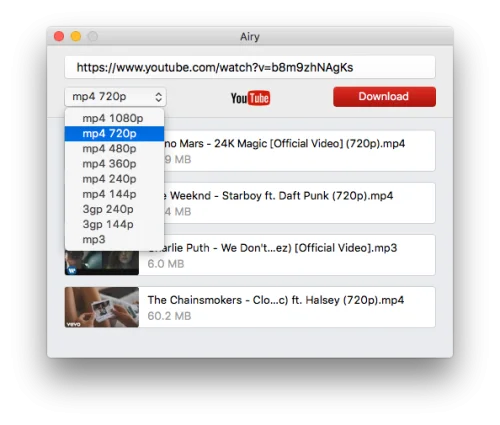
4k Video Downloader is a cost-free video downloader that is trusted by millions of users worldwide. It supports tons of popular video sites that enable you to save video and audio from YouTube, Vimeo, TikTok, SoundCloud, Bilibili, Flickr, Facebook, Instagram, DailyMotion, Naver TV, Likee, and Tumblr.
Not to mention it allows you to download streams from Twitch and YouTube Gaming as well. This is a handy program to save data and watch your favorite content on the go. Enjoy offline streaming in the highest video resolution you want your viewing experience to have.
Feature-packed video downloader
4k Video Downloader empowers you to download special and private video content. For instance, your personal YouTube playlist can efficiently be accessed whenever and wherever you wish without being required to sign in. Stereoscopic 3D videos can also be obtained in MP4, MKV, FLV, 3GP, and other formats. Moreover, 360° videos can also be saved for a virtual reality experience.
As its title suggests, the main function of this bundle is to give your clips a 4K quality offline streaming resolution. Aside from that, it permits you to download any video in other high-definition values such as 1080p, 720p, and even 8K. All of your downloaded videos and audios will be compatible on various devices including HD TV, iPad, iPhone, and Samsung.
What's more amusing is it offers a built-in proxy setup that can authorize you to bypass restrictions set by your internet service provider. You can establish a connection through the in-app proxy in order to access and download from YouTube and other sites. Additionally, it is equipped with a smart mode feature wherein you can implement preferable settings to all further downloads.
Watch favorites anytime, anywhere
4k Video Downloader is an excellent download manager platform option to get your cherished content and watch it in quality offline. This will come in handy especially if you are running low on data or will go far away from a stable WiFi connection. With this powerful companion, no ads can ever interrupt your movie marathon time or binge-watching experience.
- 8 Downloads
-
Free cross-platform multimedia player VLC Media Player is a free multimedia player that lets you play music and video content. You can download this handy program for Mac, Microsoft Windows PC, iOS, and Android devices. While the user interface is straightforward, the platform has dynamic benefits that let you customize your viewing experience.
As an open-source cross-platform multimedia player, it plays most multimedia files as well as various streaming protocols. Safe, powerful, and completely free, the app can play a range of media, including video and music files, in multiple formats directly on your device of choice.
What is VLC Media Player used for?
VLC Media Player can play video or music files in just about any format from MPEG to FLV, MKV, and RMBV files. VLC plays most codecs with no codec packs required, including MPEG-2, MPEG-4/Xvid, H.264, MKV, WebM, WMV, and MP3. It can also play audio CDs, DVDs, and BluRay discs, ignoring region codes.
Because the software plays almost anything, VLC is a great alternative to iTunes, RealPlayer, and Quicktime. Users can also use VLC to convert files and, in addition to all the formats and physical media it will play, many streaming protocols are supported.
Simple interface and easy basic functionality
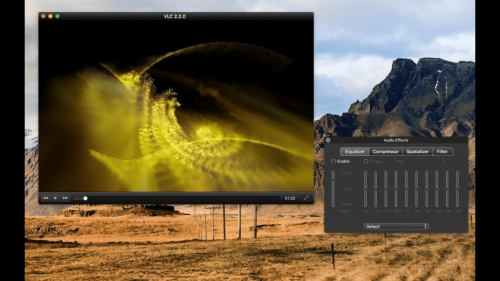
The VLC interface for Mac is lightweight, fast, and simple with a single window for everything. Visually, the player is not very exciting, although a selection of audio visualizations — graphic shapes and signs that respond to the audio being played — can be used to add color and interest to the display. For those who prefer a more visually interesting interface, KMPlayer is fully customizable and allows users to open multiple windows for controls, playlists, or equalizers.
At a very basic level, VLC is an easy program to use for simple viewing of videos and listening to audio files. During software installation, a user can set VLC as the default media player, meaning that whenever they click on an audio or video file it will automatically open in VLC.
In playback mode, the play, pause, stop, full-screen, and volume controls are easily accessible on-screen. There is also a timeline that shows the full length of the video with a slider to move through the video. It’s simple to watch and pause videos and control their volume using your mouse.
Furthermore, the app also has great hotkey support and, if you learn the shortcuts, it can be controlled without touching your mouse. Functions such as changing the video’s size, jumping to a specific time point in the video, and taking a quick screengrab are available using the hotkeys.
Enriched playback experience
For music, VLC plays more or less any audio file and features an equalizer and playlist creation. While it isn’t as intuitive as iTunes as a media manager, VLC is much more flexible in terms of file formats. VLC can also check online for album art and metadata to enrich the playback experience, such as providing track information when playing audio CDs.
Lots of advanced features
VLC media player is not just for simple video and audio playback, however. More ambitious users will want to take advantage of the host of advanced features the player offers.
The player can be used to record a user’s desktop or webcam via its built-in screen recorder. Users can select the frame rate and codec for their video as well as the destination folder for saving. This feature is useful for creating on-screen tutorials and screencasts or video presentations.
Converting video or audio files to a different format is one of VLC’s most handy features. Aside from being able to select a destination on their computer in which to save the newly converted file, users can also stream the file using a streaming method of their choice.
VLC media player makes it easy to add subtitles to video files too — simply add the SRT file to the folder where the video is kept and it will automatically play with subtitles. Also useful is the fact that users can use the media player to preview files that are downloading since it plays incomplete parts of video files.
Despite its basic-level simplicity, navigating VLC’s advanced workflows and functionality isn’t particularly user-friendly or intuitive. To access advanced features and discover VLC’s full potential, users may have to rely on online forums and tutorials. Some support from the developer is available via the Help menu within the app although online documentation is limited.
Is VLC download free and is it free to use?
VLC is free to download and install. Only a free download is available, although you can donate to the developers in case you want to support the development of the project by VideoLAN. The multimedia program delivers the entire suite of features for free.
Is VLC safe?
The VLC player is an open-source project, which enables you to look into the source code to make sure that the program is safe for you. The open-source nature allows you to modify the code to change the platform to your personal preferences.
- 9 Downloads
-
The best open-source video conversion app — with support for pretty much any format, presets, advanced customization, batch processing, and automation
What began as primarily a DVD ripper has evolved into a general-purpose video editor that is widely considered to be the best choice for pretty much any conversion job. It supports a large variety of input formats and can export videos using widely-supported codecs for any device.
Handbrake is free, open-source, and available for all major desktop platforms — macOS, Windows, and Linux. You can use presets or customize conversion jobs in-depth, and the app also supports batch processing. For further automation, you can use the command-line version and run complex scripts with one command.
Can process just about anything
Handbrake integrates open-source libraries such as FFmpeg, which allow it to open almost any video file you throw at it. If you still have those lying around somewhere, and your Mac still has a drive for them, it also allows you to rip DVDs and Blu-ray discs, provided they don't use copy protection.
Modern codecs, such as H.265 and H.264, are used to export videos to commonly-used formats suitable for a wide range of devices. If you're in a hurry, or just don't feel like fiddling around with the settings, just select one of the many device presets and let the app take care of things.
Advanced customization and editing capabilities
If you want to have more control over the output, you can cycle through the tabs and tweak your settings for each source video. You can crop and rescale content, add filters, change encoder parameters, manage subtitle settings, select chapters, and more.
Before exporting your video, you can generate a short preview that will give you a better idea of what the final version will look like.
Great for batch video processing and automation
The app's GUI edition is already great for running multiple jobs in quick succession, as you can add them all to the queue, each with its own settings, and export everything in one go.
If you're after complete automation, however, the command-line edition is what you need. It allows you to run scripts that convert multiple videos with just one command, simplifying your workflow significantly if you need to run similar operations on a regular basis.
There are few situations when Handbrake isn't the best tool for the jobs. It has everything you need: extensive format support, customization options, easy-to-use presets, and batch processing capabilities. And to top it all off, it's completely free and open-source.
- 11 Downloads
-
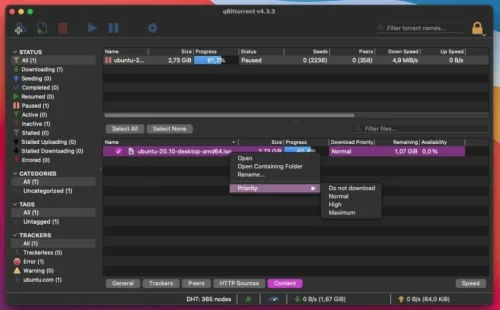
qBittorrent is a free software application designed for Mac users that facilitates file sharing and peer-to-peer networking. It is categorized under Internet & Network, specifically in the File Sharing & Peer to Peer subcategory.
This application offers a user-friendly interface, making it accessible for both novice and experienced users. With its lightweight design, qBittorrent allows for efficient downloading and uploading of files, ensuring a smooth user experience.
The program supports various protocols and provides features such as a built-in search engine, torrent creation, and bandwidth scheduling. Additionally, qBittorrent includes a web interface for remote management, making it convenient for users who wish to control their downloads from different devices. Overall, qBittorrent stands out as a robust and reliable tool for file sharing on the Mac platform.
- 18 Downloads
-
By far the most popular open-source browser, Firefox has attempted, since it was first developed, to counter the dominance of Internet Explorer, then Chrome, and now the multitude of Chromium-based browsers as well.
Seemingly doomed to never be the top dog, Firefox is nevertheless an impressive browser, and its commitment to transparency and user privacy makes it a sound choice. Other than Safari, it is the only major browser not to be powered by Chromium, relying on the in-house Gecko engine ever since its inception.
Feature-rich, as expected
Aside from the things you need for actual browsing, Firefox comes equipped with a password manager, tracker blocker, private browsing functionality, fingerprint blocking, cross-device synchronization, and fairly impressive customization options.
Of course, nowadays, feature availability isn't much of a concern when choosing a browser, at least for most people. Sure, Firefox doesn't have a built-in ad-blocker or full-page translation, but these things can be added via extensions.
Open-source, privacy-minded browser
One of the main reasons to choose Firefox is the fact that it is completely open-source. Every day we get more reasons not to trust big corporations to do the right thing, and what better way to keep an eye on them than to see everything that's going on behind the scenes?
Mozilla is also at the forefront of safeguarding user privacy and promoting transparency. Aside from blocking cross-site tracking cookies and preventing all tracking in private windows, the browser also prevents fingerprinting, which lets companies create a profile based on your hardware and data, allowing them to track you for extensive periods.
Firefox has also implemented an HTTPS-only mode, which blocks all unsecure connections. However, you will need to enable this feature after installing the browser, as it is not turned on by default.
Plenty of extensions to choose from, but Chrome is still better in this regard
Firefox has been around for a long time, so it makes sense that tons of extensions have been created since the browser was first released. However, those that have not been upgraded since the introduction of the Quantum engine will likely not work on later versions of the app. Mind you, that was over three years ago, so it's not much of an issue today.
Despite the fact that Chrome came onto the scene quite a bit later, its sheer popularity has resulted in far more extensions being created for Google's browser. Nevertheless, almost every popular add-on is available for Firefox as well, and it is vastly superior to Safari in this respect.
Performance — there's no beating Safari
Whether on Intel or Apple Silicon Macs, Safari is superior to all other major browsers when it comes to page load times, general performance, and RAM usage. If you're looking for an alternative to Apple's browser, it's not because of performance issues or resource consumption.
Between the alternatives, however, it's a toss-up. Firefox and Chrome seem to trade the title of "faster browser" on a regular basis, but they're always close. Given that most users don't want to switch to a different browser with every new release, it's probably wiser to discount performance as a factor for the time being. Most major browsers are similar enough for it to not matter all that much.
Firefox, Chrome, or Safari?
Mac users are somewhat fortunate in having the privacy-friendly Safari as a default browser, so finding an alternative isn't as important as it is for Windows users. However, Safari offers very little customization and has a limited pool of extensions, so it isn't the best choice for users who like to personalize their browsers.
So if you care about privacy but still want to take advantage of certain extensions and customize your browser, Firefox is an excellent choice. Of course, there are other Chromium-based browsers that take privacy seriously, but none of the major ones are open-source.
- 11 Downloads
-
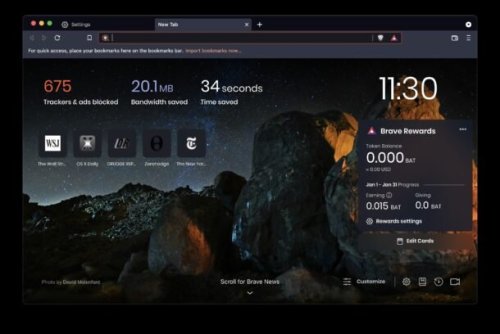
Navigate the web while avoiding intrusive ads and trackers, support your favorite websites in new ways, and even make money by viewing private ads, all with this innovative Chromium-based browser
Every year, ads seem to get more pervasive and intrusive. Your personal information is collected from numerous sources and sold to advertisers without your knowledge or consent, and without you receiving any compensation for it.
Thankfully, more and more people are becoming aware of how their privacy is invaded and their information sold for profit. However, by taking steps to mitigate this issue, which range from switching search engines to installing ad-blockers, users are, through no fault of their own, contributing to the demise of an unsustainable funding model for content creators.
To put it simply, anyone who relies on ads to make a living will see their income becoming less reliable as ad-blockers come to be ubiquitous and users change their browsing habits to protect their privacy.
Brave was conceived partly to provide an alternative method for content creators to make money, as well as to give more power to users. Aside from these innovative features, Brave also comes with everything you would expect from a modern browser, with special attention given to protecting your privacy on the web.
How the Brave Rewards system works
Since this is the browser's standout feature, we'll cover it first. When you browse the web with Brave, it automatically keeps track of how much time you spend on each website. At the end of the month, based on how much attention you've shown a certain website, the Rewards system will send the site owners a corresponding amount of BATs (Basic Attention Tokens). The BAT platform is based on Eretheum, and tokens can be converted to other currencies.
It's important to note that Brave's Reward system is completely anonymous. Activity logs are stored only locally, and the company doesn't know who supported which websites. The support is simply tallied, and the appropriate rewards are given based on the total attention each site has gotten.
View private ads to earn money and support your favorite websites
In addition to rewarding websites for traffic, Brave can deliver private ads to interested users. By watching these ads, you can earn BAT — specifically 70% of what the company receives from advertisers. These tokens can then be converted, traded for various perks, or used to support content creators.
These private ads are completely different from the intrusive ads you normally see on the web. They can be turned on or off at any time, you can choose how many to see, and they should only be shown at convenient times.
While Brave's ads are still based on your browsing activity, they are completely private. Your personal information will never be given to advertisers, as ad matching is done only locally.
Prevent tracking and ensure you stay secure on the web
To replace many of the functions we normally use extensions for, the Brave team have come up with Shields — a feature designed to block ads, trackers, third-party cookies, and device recognition, while also forcing HTTPS on websites that support it.
Shields is remarkably easy to use and configure, and it can be turned on or off which a single click, which is sometimes necessary when sites simply will not work if cookies are blocked.
Distinctly Chrome-like in appearance
Given that it's based on Chromium, it shouldn't come as a surprise that the browser's UI is reminiscent of Chrome's. There are a few alterations, but nothing too major. Since Google's browser is often the most talked-about when discussing privacy issues, it's probably a good thing that Chrome users will find the transition very smooth.
However, I'd love to see some additional customization options added in the future. As mainly a Vivaldi user, I can't see myself switching to a browser that doesn't let me tweak just about everything related to looks and functionality. While this level of customization isn't important for most users, it would make Brave an even better alternative to Chrome.
Comes with everything you need from a main browser
As far as functionality is concerned, there is little point in mentioning everything Brave can do, as most other browsers offer similar feature sets. If you've used Chrome or any other Chromium-based browser before, only the Shields and Rewards features are likely to stand out.
One other advantage of it being based on Chromium is that you can install any extension you wish from the Chrome Web Store — yet another incentive for Chrome users to make the switch.
When it comes to speed, Brave brave should have the upper hand simply because it prevents ads and trackers from running. These can have a significant impact on page loading times, and you normally have to install third-party extensions to block them.
An excellent browser that changes how money is earned on the web
Few can argue that change is needed when it comes to how ads are targeted and delivered, and Brave offers a forward-looking solution. Instead of just blocking ads altogether, preventing content creators from making money from their work in the process, the browser offers a consumer-friendly funding alternative.
When it comes to the rest of the browsing experience, Brave doesn't disappoint. While it's difficult to create a bad browser when using Chromium, the team has done a wonderful job of integrating innovative features into the familiar UI, and I hope there is even more to come, especially when it comes to customization options.
- 12 Downloads
-
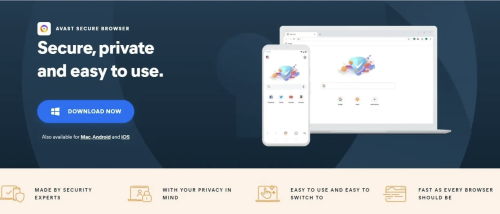
Avast Secure Browser is a web browser intended to provide safe and secure browsing. It comes with built-in cybersecurity features that defend you from a range of threats without reducing performance and reliability. This is because it's based on Chromium - an open-source browser by Google. This ensures that it offers all of Chromium's quality and usability features. Its user interface is almost the same as that of Google Chrome.
The main difference between Avast Secure Browser and other browsers is that Avast has all the security and privacy functionalities built-in. Plus this is accessible from the Security & Privacy Center, this can be accessed by clicking on the shield icon next to the address bar. Anti-Tracking blocks servers from tracking your online transactions. It is complemented by the Anti-Fingerprint feature makes the web fingerprint more distinct and unnoticeable to phishers. Other specific features include the Privacy Cleaner and Private Mode. They encrypt your internet history and prevent it from storing any cookies and spam that could breach your security.
Avast Secure Browser also comes with 24/7 security features that make your browsing experience much better. Anti-Phishing and Bank Mode helps to block suspicious pages and stops anyone from accessing your private details via a keystroke logger. This security app also comes with a Password Manager that lets you log in easily while keeping your login details secure. Due to its lightweight Chromium build, the speed of the Avast Secure Browser competes with Google and Firefox.
The Adblock and Flash Block functionality also add to the performance of the browser. Adblock prevents most ads from appearing so web pages are loaded faster. Flash Protect obstructs Flash-based images that can overload processing power and overwhelm the entire system. With Avast, you will be able to monitor which pages will have access to your camera because of the Webcam Guard function. The web browser can also have HTTPS protection for connections when browsing.
Outstanding web browser
With Avast Secure Browser, Avast guarantees the privacy and security of its users. Other Avast goods such as Avast Free Antivirus and Avast Secureline VPN can be conveniently paired with the Avast Secure Browser for increased security. This web browser places a heavy emphasis on privacy and security. While it lacks some customisation options, it at least ensures a private browsing experience to its users.
- 14 Downloads
-
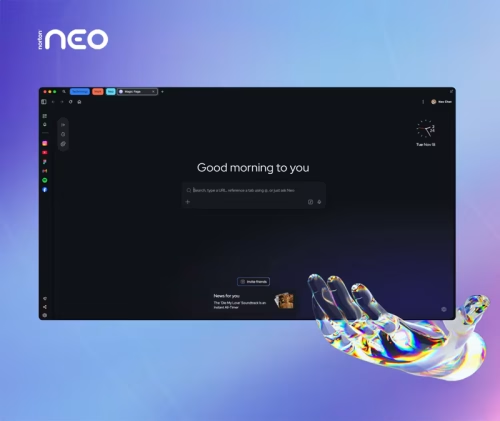
Your data is never sold. What happens in Norton Neo stays in Norton Neo. You’re in control: choose what Norton Neo remembers - and what it forgets. Or just turn it off. Built-in VPN, anti-fingerprinting, and ad blocking are built-in. No extensions. No setup.
Most tracking does not rely on cookies anymore. Websites build a hidden profile using dozens of invisible signals: your screen size, installed fonts, GPU behavior, audio settings, and more. Neo blocks and randomizes those signals by default, globally, across every site you visit. No setup. No toggle. Always on.
Powered by Norton and built directly into the browser. One click encrypts all your browsing traffic. No separate app, no extra subscription required. A strict no-log policy means your browsing history, DNS queries, and IP address are never stored. Independently audited annually.
Cleaner browsing, smarter blocking, and no extensions required. The ad blocker runs quietly in the background every session, active by default from the moment you open the browser.
- 36 Downloads
-
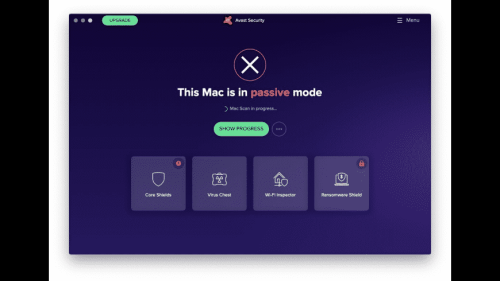
Avast Security for Mac offers three shields, on-demand scanning and WebRep clients which are automatically (optionally) installed to Safari, Chrome and Firefox browsers.
Web Shield and Mail Shield combine to check the vast majority of incoming data from the Internet, while File Shield scans all programs stored and executed from your hard drive. Everything is packed in a brand new GUI.
Malware isn’t the only threat to your Mac. Malicious websites and vulnerable Wi-Fi networks can also jeopardize your safety and privacy. Avast Security for Mac provides more protection against all 3 threats, and our new premium version also helps expose Wi-Fi intruders and helps stop ransomware.
What`s New in latest version 2026
Improved real-time threat detection with enhanced behavioral analysis.
Updated virus definitions for stronger protection against latest malware.
Enhanced ransomware shield with better file protection controls.
Improved Web Shield for safer browsing and phishing prevention.
Optimized performance with reduced system resource usage.
Refined user interface for easier navigation and status overview.
Enhanced email protection against malicious attachments.
Improved Smart Scan speed with more accurate system checks.
Better compatibility with macOS security features.
Bug fixes and overall stability improvements.
Macs need protection, too
Mac OS X is considered one of the most secure operating systems available. But today’s threats aren’t after your computer – they’re after your identity and your money.
New threats target you personally
These days hackers “phish,” “spearphish” and “whale” to target you specifically. Combine these with other threats like router hijacking, and your identity is at great risk of being stolen.
Will it work with my Mac?
If you’re on a Mac running OSX, it will work. You need 128 MB of RAM and 750MB of disk space. Beyond that, you can be running just about any stable version of OSX (even Yosemite), and the app keep you protected.
There’s security in numbers
More people around the world trust Avast for their security than any other company. That means better security for all of us. The reason is simple: "We see and react to more data from more users, so we can make your protection better.
- 18 Downloads
-
1.1.1.1 with WARP is a free security program that lets you boost your loading speed and keep your privacy more secure. Developed by Cloudflare, this application is a DNS resolver that shields your device from security threats like malware, phishing, and the like.
1.1.1.1 with WARP replaces your connection with a more modern and optimized protocol — making things much more private compared to traditional wired protocols. Available on both PC and mobile, this anti-spy software makes sure that your data is always safe each time you go online.
How do I use Warp 1.1 1.1 on PC?
1.1.1.1 is a free Domain Name System (DNS) service that functions as a recursive name server. This allows your DNS queries to bypass less secure connections so that your data won’t be spied on or sold to companies who need your data profile for marketing purposes. This time, Cloudflare offers 1.1.1.1 with the WARP feature, which is its built-in VPN service.
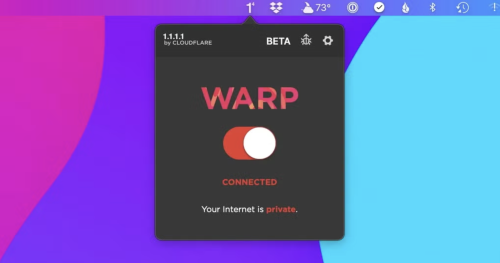
With this, 1.1.1.1 with WARP has two modes you can freely switch between: 1.1.1.1 and WARP. The difference between them is that the former only focuses on DNS queries while the latter includes a VPN shield—making it the default and more preferred mode. To use this software, just simply launch it and toggle on the big button on the menu.
To switch the modes, just click on the gear icon. Under Preferences, you can see the General settings, Connection, Account, Feedback, DNS Logs, and Advanced settings. There’s even a function called 1.1.1.1 for Families that blocks adult content. Unlike the mobile version, however, you can’t purchase or access the paid monthly subscription, WARP+, on PC. Plus, sometimes your loading speed will slow down instead of speeding up.
Enhancing your experience with Warp+
For users wanting more from their internet experience, 1.1.1.1 with WARP offers a premium path packed with enhanced capabilities. Its subscription model, WARP+, introduces unlimited WARP+ data and customizable route selections for optimizing online traffic management. This setup is ideal for users needing reliable speed during peak usage times. By choosing this premium package, you not only improve your internet connection stability but also elevate your overall digital experience.
Understanding the hesitation some may feel before committing, a free trial is offered to try out these advanced features before upgrading. It's a risk-free way to explore the benefits without an upfront investment, allowing users to evaluate if the added features meet their needs effectively. However, it’s important to note that once the subscription begins, any remaining free trial time or WARP+ data credits will no longer be available to ensure resource allocation is streamlined.
Shouldn’t be slow
Overall, 1.1.1.1 with WARP is an easy-to-use and lightweight program. You don’t need to know much about setting up this kind of tool due to how user-friendly the interface is. It’s designed to boost your browsing speed while securing your privacy. However, unlike the mobile version, you can’t avail of its premium service. It also has some issues with loading speed.
- 17 Downloads